Cross-platform mobile product · Healthcare scheduling
Mawed v2 · مواعد
Mawed connects two distinct journeys around one appointment: a Doctor publishes availability and a Patient discovers the clinic through a privately shared code, selects a slot and follows the decision. The portfolio demo recreates that cross-role lifecycle with fictional local data.
- Flutter
- Two-sided workflow
- Clinic-code discovery
Fictional data. Runs in your browser.
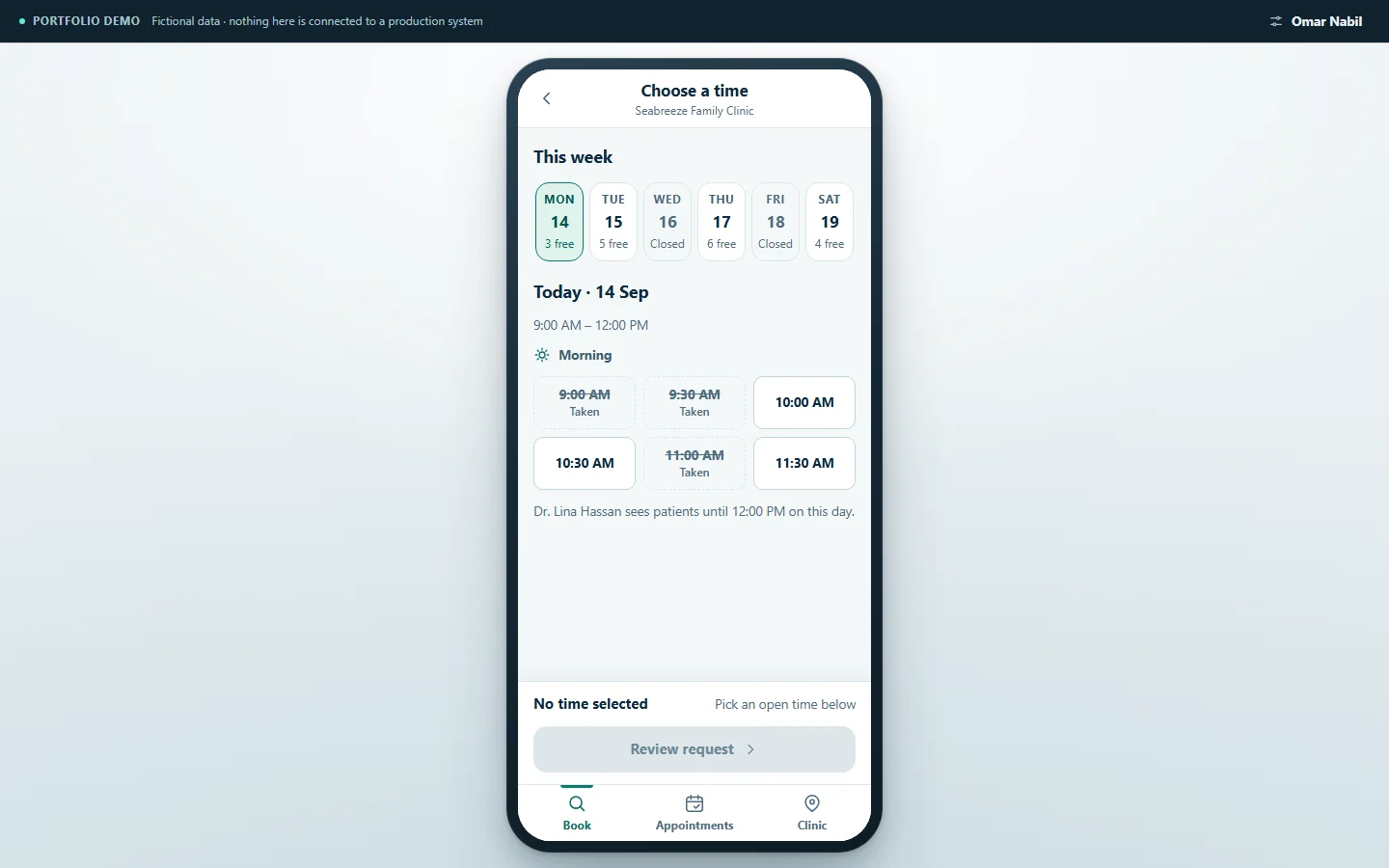
A two-sided product
Mawed treats Doctor and Patient as two different product journeys joined by the same appointment record. The Doctor controls schedule and availability; the Patient needs a direct path to one clinic, a clear set of slots and a status that reflects the Doctor's decision.
Designing the two sides together matters because each action changes what the other person can see or do next. The value lies in the lifecycle between them, not in two disconnected screen sets.
Discovery by private clinic code
Instead of exposing clinics through a public directory, Mawed lets a Doctor share a clinic code deliberately. The Patient enters that code to find the intended clinic and continue to its available days and slots.
The Doctor view can also present the same code as a locally rendered QR for sharing. The evidenced interaction is QR presentation; the product story does not rely on a scanning flow.
One appointment, two people
The Doctor defines working days, hours and appointment duration, then shares the clinic code. The Patient enters the code, selects a generated slot and submits the booking. The Doctor reviews the request and accepts or rejects it; the Patient then sees the updated status.
A separate pending-Doctor state demonstrates the approval gate before a Doctor can enter the active workflow. This keeps access state visible as part of the journey instead of hiding it behind a generic failure.
Building for six targets
The source product is built with Flutter and Dart and is configured for Android, iOS, web, Windows, macOS and Linux. That shared foundation supports role-specific mobile interaction without splitting the Doctor and Patient journeys into unrelated implementations.
The portfolio presentation keeps the product's mobile character: desktop and tablet reviewers see the recreation inside a neutral phone frame, while narrow screens use the full viewport.
The appointment lifecycle in screens
The sequence follows one appointment through both journeys: the Patient enters the private clinic code, picks from the slots the Doctor's schedule currently produces, and lands on an explicitly pending request. The Doctor's side then shows the day, the requests still awaiting a decision, and what happens when new working hours would leave existing bookings outside them.
Evidence gallery
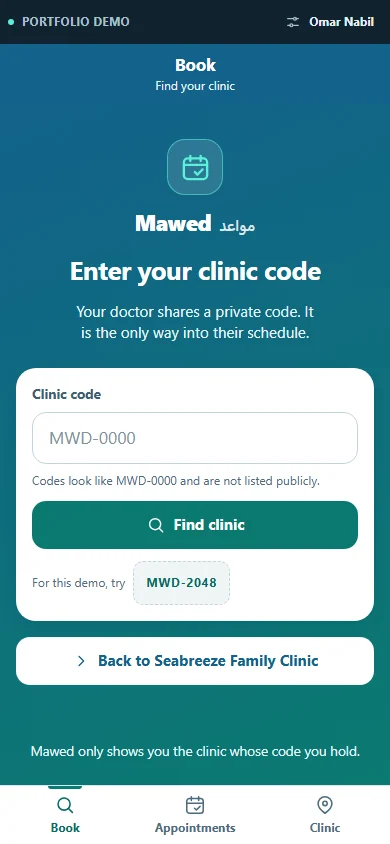
A patient reaches a clinic only through the private code the Doctor shares; codes are not listed publicly. 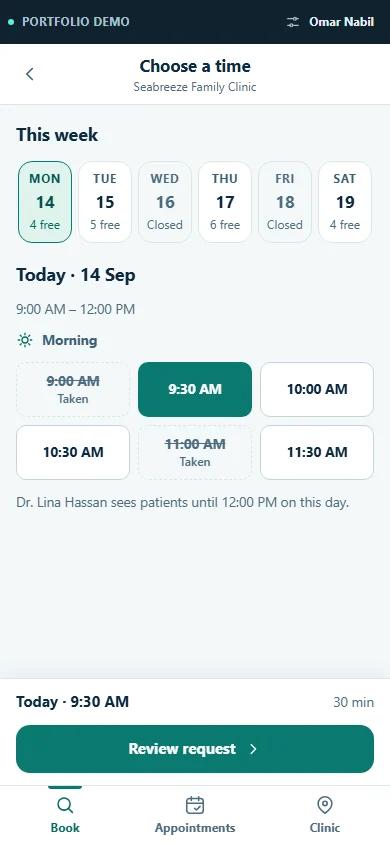
The Patient sees only the slots the Doctor's current schedule produces; taken times stay visible but unselectable. 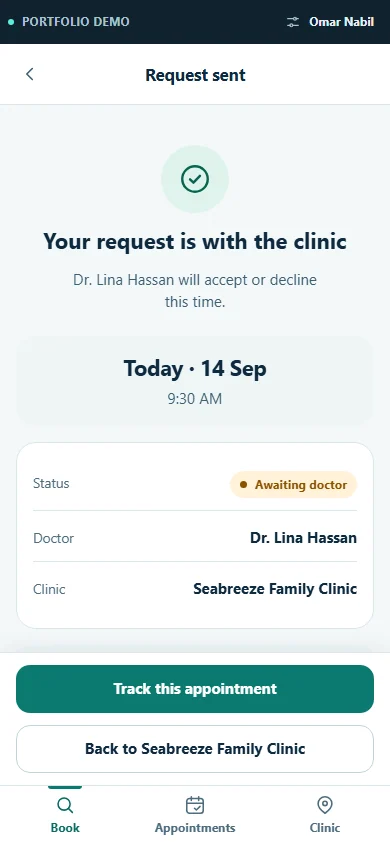
A submitted request is explicitly pending: the appointment exists only after the Doctor decides. 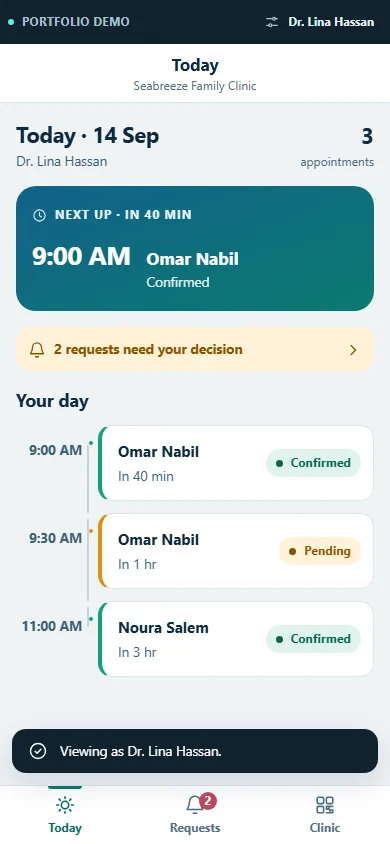
The Doctor's day separates confirmed appointments from the requests still waiting on a decision. 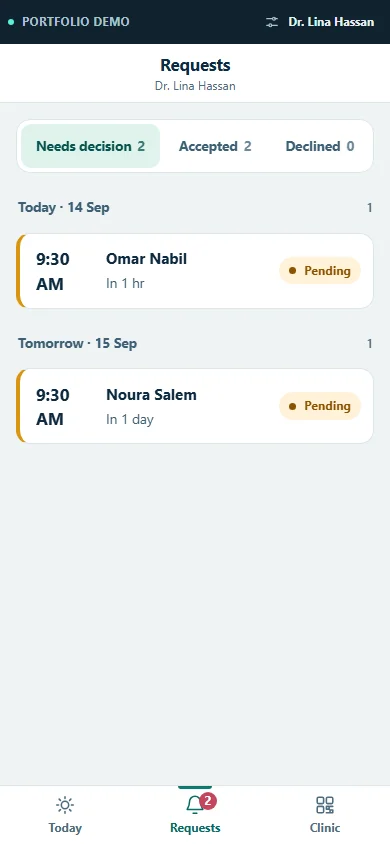
Requests are grouped by decision state, so nothing is accepted implicitly by the passage of time. 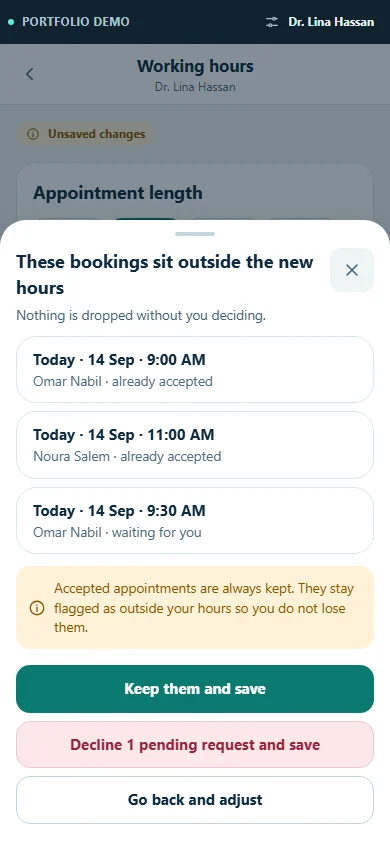
Changing working hours surfaces the bookings that would fall outside them before anything is saved.
Launch the mobile demo
Start as Omar Nabil, the fictional Patient, to discover a clinic and request a slot, then switch to the approved Doctor to decide the appointment and return to the Patient view. The review takes about three to five minutes.
This portfolio demo recreates selected Mawed workflows using fictional data so the product can be explored quickly without customer data, production access, or account setup.